A digital menu acts as an interactive sales portal that adapts in real time to inventory levels, shifting labor capacities, and changing ingredient costs. Transitioning from print documents to digital infrastructure requires a focus on screen responsiveness, clean user architecture, and integrated data backends.
Technical Architecture and Platform Types
Businesses must first select the hosting model that fits their service style.
Web-Based QR Systems
Guests scan a QR code placed on table tents or windows to open a responsive web page on their smartphones.
- Infrastructure: Requires a cloud host or an integrated point-of-sale (POS) web portal.
- Operational Benefit: Zero friction for customers since it requires no app store downloads. Updates show up immediately across all live devices.
Native Tablet Systems
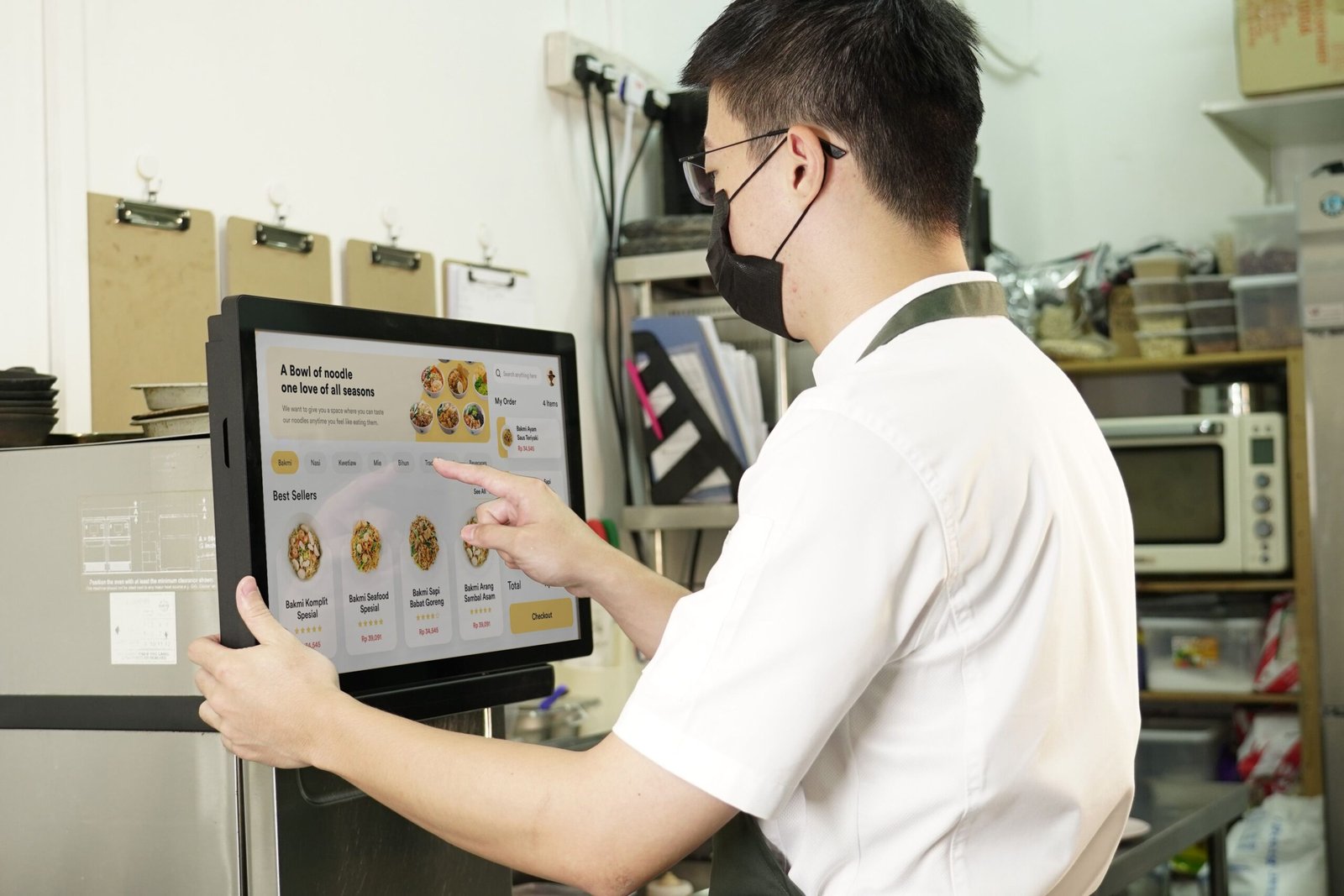
Fixed tablets sit on tables or mounts inside kiosks for direct user interaction.
- Infrastructure: Uses local area networks (LAN) alongside sturdy commercial tablet enclosures and charging docks.
- Operational Benefit: Keeps users locked into the ordering screen, which speeds up table payment steps.
Digital Menu Data Flow:
[ Cloud Management Dashboard ] ──( Real-Time Sync )──> [ Database Backend ]
                                                            │
                     ┌──────────────────────────────────────┴──────────────────────────────────────┐
                     ▼                                                                             ▼
       [ Customer Mobile Webview ]                                                    [ Table Kiosk Hardware ]
Screen Architecture and Visual Hierarchy
Mobile screens alter how humans scan information compared to traditional print layouts. Vertical scrolling replaces page flipping, requiring a distinct layout structure.
Sticky Navigation Bars
Users should not have to scroll all the way back to the top of the screen to change categories. Implement a persistent, horizontally scrollable category selection bar at the top edge of the display interface.
Mobile Interface Grid:
+------------------------------------------+
| [ logo ]      Search Items     [ cart ]  |
+------------------------------------------+
|  Mains  |  Appetizers  |  Sides  | Drinks | <-- Sticky Navigation Bar
+------------------------------------------+
|  [ Photo ]  Smoked Brisket Burger    16  |
|             House pickles, cheddar...    |
|             [ Add to Order Button ]      |
+------------------------------------------+
Item Card Layout Rules
Every dish should sit inside its own defined visual container (an item card). Keep card structures consistent:
- Top Left: Item Title (14-point Bold font weight)
- Top Right: Price value without currency symbols (14-point Regular font weight)
- Below Title: Description text containing ingredient and allergen data (11-point font weight)
- Bottom Right/Centered: High-contrast actionable button (e.g., “Add to Order” or “Customize”)
Photography Integration Policies
While print layouts can look cluttered if they include too many images, digital menus use photography to drive conversions. However, unorganized media slows down page loads.
| Aspect | Specification | Rationale |
| Image Ratio | One photo per 3 to 4 items | Keeps pages loading fast while providing visual anchors. |
| Composition | Overhead flat-lay or 45-degree angle | Matches the natural viewpoint of a seated diner. |
| Resolution | Maximum 800px width, compressed WebP | Cuts down data use for guests loading pages on cellular networks. |
| Lighting | Consistent studio lighting across dishes | Avoids looking messy; flashes trust in item production. |
Database Management and Real-Time Control
The primary advantage of digital menus is the power to update listings instantly. Connecting your layout directly to an active database protects kitchen operations.
Automatic Out-of-Stock Toggles
When a kitchen station runs out of an ingredient, a manager toggles the item off in the central dashboard. This action updates the menu across all customer screens in under a second, preventing order cancellations and angry diners.
Inventory Level Triggers:
[ In Stock: 10+ Units ] ──> Display normal pricing and placement
[ Low Stock: <3 Units ]  ──> Auto-append "Limited Availability" warning tag
[ Out of Stock ]        ──> Hide item card entirely from frontend view
Dynamic Pricing Matrices
Digital frameworks allow you to adjust prices automatically based on data rules:
- Time Shifts: Drop drink prices automatically when happy hour starts at 4:00 PM.
- Smart Recommendations: Program the system to suggest high-margin sides (like specialized fries) during checkout steps to boost average order sizes.
Step-by-Step Build Sequence
Follow this progression to design, configure, and launch a digital menu framework.
1.Select Backend Core:Phase 1.
Choose whether to use your existing POS system’s digital platform or an independent menu provider that connects via APIs.
2.Format Item Databases:Phase 2.
Input names, exact prices without currency symbols, descriptions, and tag attributes like gluten-free or vegan.
3.Apply Brand Layout Settings:Phase 3.
Set up responsive CSS layouts with clean typography hierarchies, matching background tones to your physical restaurant space.
4.Deploy Asset QR Codes:Phase 4.
Generate unique QR codes linked to specific table locations. This lets your system track exactly where orders originate.
5.Network Optimization Testing:Phase 5.
Test menu load speeds on older mobile devices over slow 3G cellular connections to ensure pages load in under two seconds.
Accessibility and Cross-Platform Usability
Digital options must stay easy to use for all customer demographics, regardless of technical background or physical limits.
- Contrast Standards: Text colors must meet WCAG standards, ensuring clear visibility against background panels even in dark dining spaces.
- Text Size Scaling: Avoid hard-coding absolute pixel dimensions for text blocks. Use relative sizing values so font sizes adjust smoothly based on the user’s phone accessibility preferences.
- Clean Language Options: Build native multi-language translation switches at the top of the screen instead of relying on generic browser plugins, which can mess up specialized ingredient translations.
Moving your menu to a digital system transforms a static piece of paper into an active business asset. This approach cuts printing costs, eases the pressure on floor staff, and gives you deep data insights to continuously improve your restaurant’s bottom line.